Why does our network need routers, switches, or firewalls? How did network hardware develop step by step? Let’s briefly talk about it below!
How to connect computers?
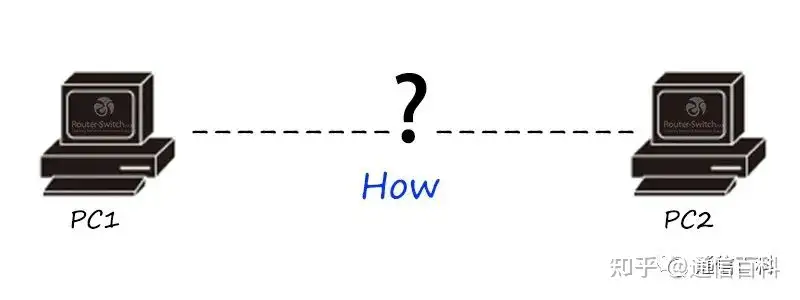
Before we invented networks, personal computers worked independently, with no network card, network cable, or protocol stack. We mainly used floppy disks, CDs, and other things to transfer data. I wonder if readers have seen these things; floppy disks and CDs are basically no longer used today.
The network cable has arrived!
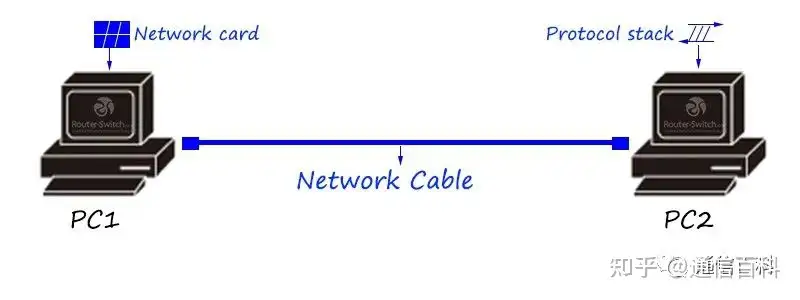
The smallest network unit consists of a network cable, a network card, and a protocol stack. The network cable serves as the physical medium to transmit the bit stream/electrical signal.
The network card converts data. For example, it converts data stored in the computer into the bit stream/current of the network cable.
The protocol stack serves as a communication language, enabling data analysis, address addressing, and flow control during communication.
What if the network cable is not long enough?
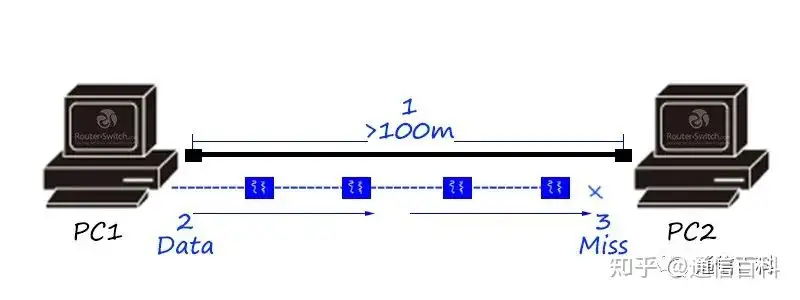
If the distance between two terminals is too far, once it exceeds the physical transmission distance limit of the network cable, data will be lost. So what should we do?
The repeater has arrived!
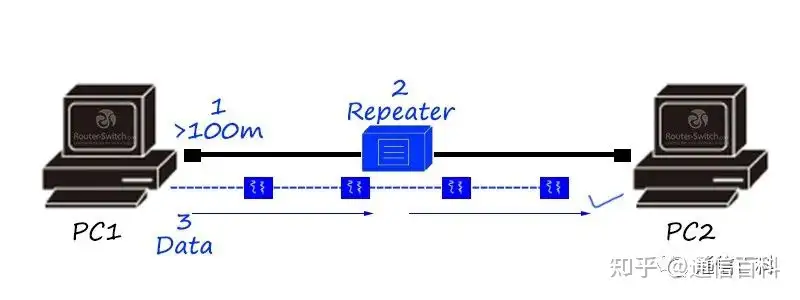
A repeater is a physical-layer product that relays and amplifies information to achieve long-distance transmission of devices.
What if the repeater ports are insufficient?
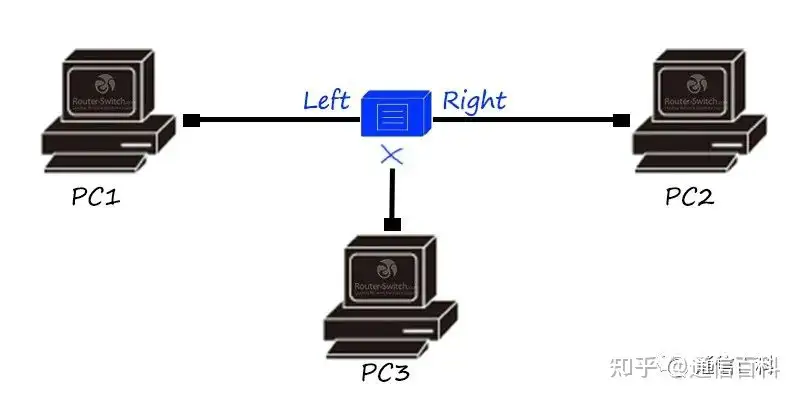
A repeater usually has only two interfaces, which means that if there are more than three terminal hosts in the network, direct data communication among multiple hosts cannot be achieved.
The hub has arrived!
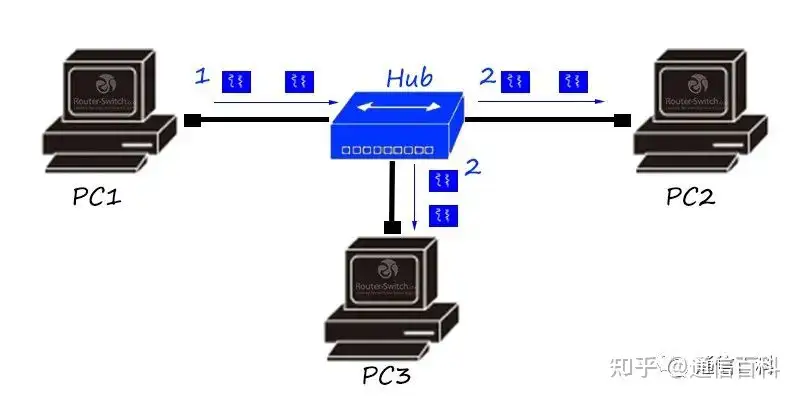
A hub is a multi-interface repeater, also a physical-layer product. It can relay and amplify information. But data received from any interface will be flooded to all other interfaces.
What if we are afraid of harassment? The bridge appears!
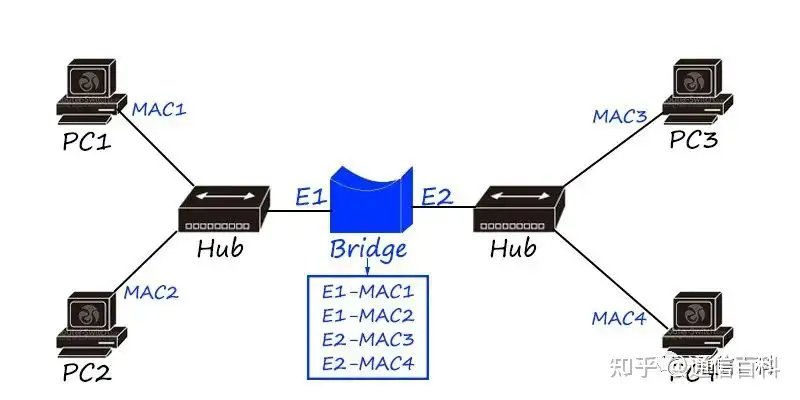
What if it is not fast enough? The switch appears!
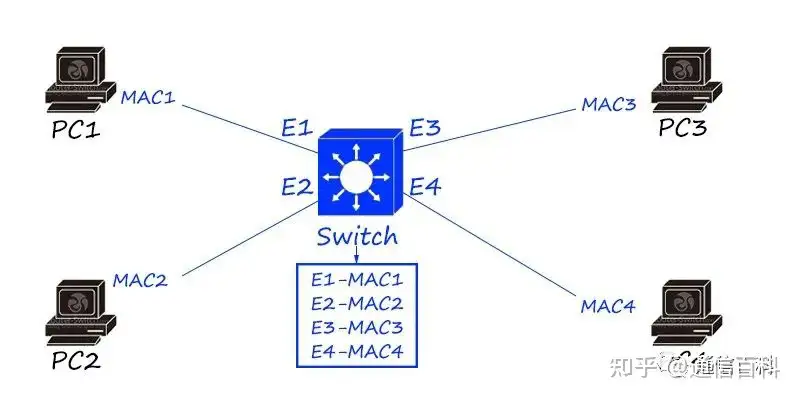
A switch is a link-layer product that records the MAC address of the terminal host and generates a MAC table (also called a CAM table). The MAC table is equivalent to a “mapping”. The switch forwards data flows between hosts according to the MAC table.
Switches are expanded and upgraded based on bridges. Compared with bridges, they have the following advantages:
- Denser interface count (each host is in an independent collision domain, greatly improving bandwidth utilization)
- Use of dedicated ASIC hardware chips for high-speed forwarding
- VLAN isolation (not only isolates collision domains, but also isolates broadcast domains through VLANs)
A switch is a LAN product, usually used in local area networks, and cannot achieve remote WAN communication.
What if the distance is still not enough? The router’s function comes into play!
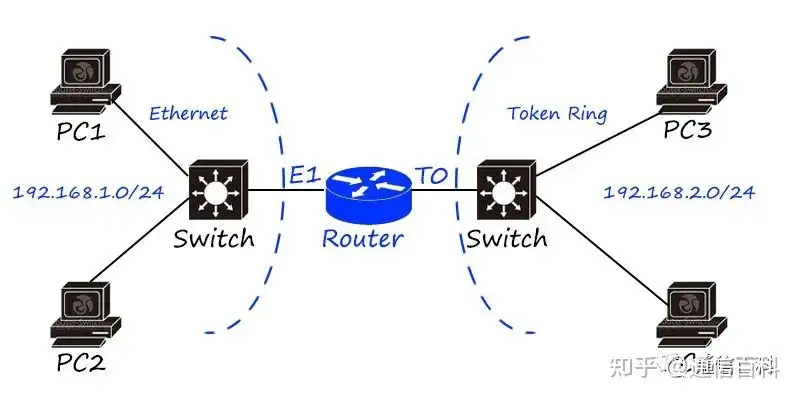
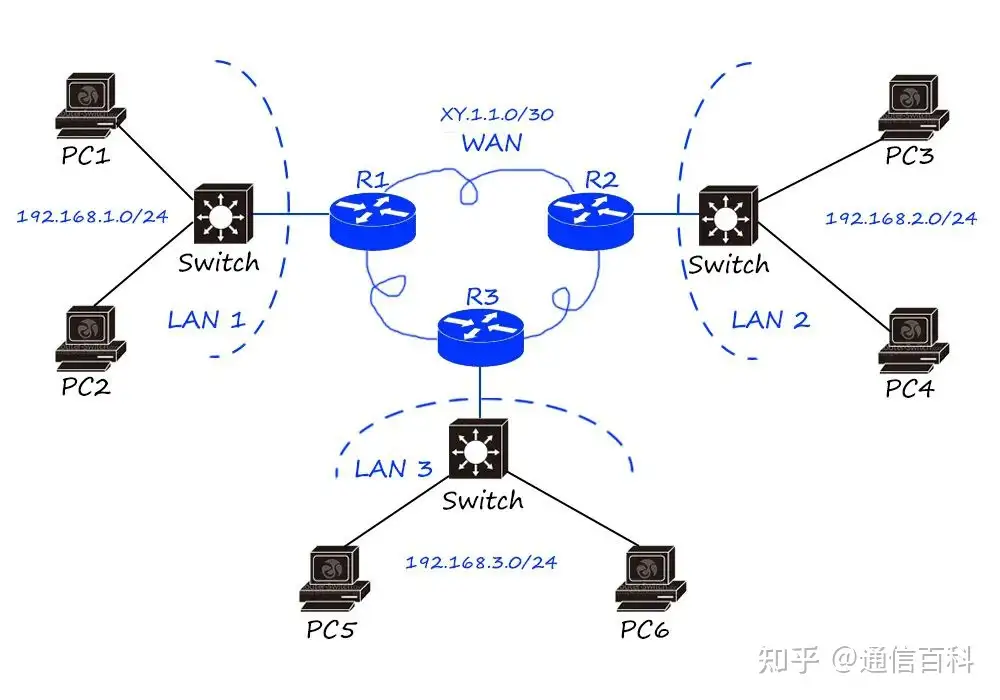
A router is a network-layer product based on IP addressing, using routing tables to implement data forwarding.
Routers are mainly used to connect different LANs to achieve broadcast domain isolation, and can also be used for remote communication, such as WAN connections.
The birth of the router is the main reason for the explosion of the Internet, and the integration of cross-media and cross-geographic networks has become a reality.
Logical addressing mechanisms such as the IP protocol are key to achieving the connection of different types of LANs. As long as hosts in different LANs have logical addresses (IP addresses) and reasonable logical address planning (subnet planning), they can communicate. When implementing LAN communication between them, the router performs “media conversion” and “route forwarding”.
Leonard Bosack and Sandy Lerner, the teacher couple at Stanford University’s campus network (SUNet), together with Cisco, the leader of the global network industry, created the world’s first router.
What if wiring is too troublesome? The wireless access point AP!
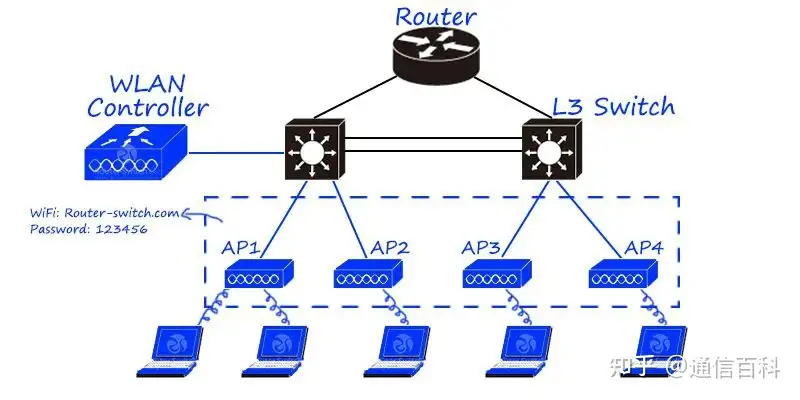
A Wireless AP (Access Point) can be seen as a switch/router with wireless functionality. With the trend of wireless cities and mobile office, the proportion of wireless products in the network is increasing.
According to different deployment methods, it can be divided into fat AP and thin AP solutions. In the fat AP solution, the wireless AP has an independent operating system that can independently debug all configurations of the wireless hotspot, similar to home TP-Link products. In the thin AP solution, the wireless AP only has the wireless signal transmission function, and all command debugging is concentrated on the backend AC/wireless controller. Small wireless networks (home, small business) can be solved by fat APs, while large wireless networks (wireless cities, wireless campus networks) require thin APs (AC + AP).
What if data is not secure enough? Then we need a firewall.
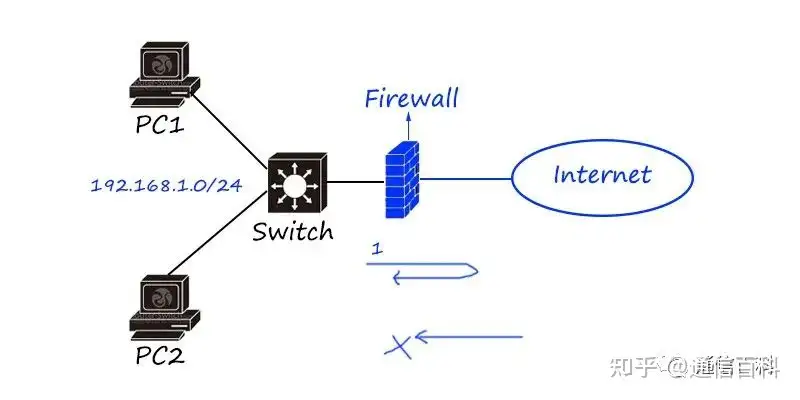
A firewall is a network security product used to restrict network security access. It is usually used at the edge of the Internet to prevent external hacker attacks.
According to the technical characteristics of firewalls, they can be divided into packet filtering, application proxy, and stateful inspection firewalls. According to product form, they can be divided into software firewalls and hardware firewalls.
A firewall can be seen as a router with security functions. Early firewalls added access control functions on the basis of routers, so many firewall functions can be seen on routers, such as routing protocols, access control lists, address NAT technology, etc.
Is there a firewall without a router? A router at the network boundary can be directly replaced with a firewall, but firewalls and routers can coexist in the network. For example, a firewall can be placed before or after a router. In this case, the router focuses on address conversion and routing policies, while the firewall focuses on security isolation, etc.
On the basis of firewalls, security products such as Web firewalls, security gateways, and intrusion detection/intrusion prevention have been extended.
What if the network is congested? The traffic controller appears!
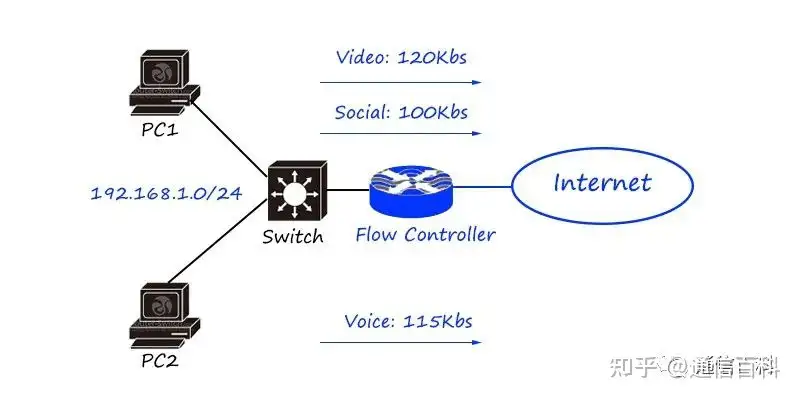
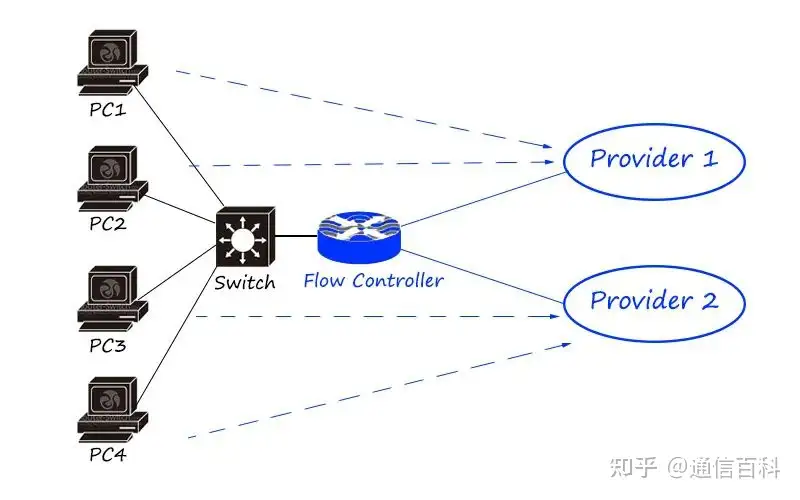
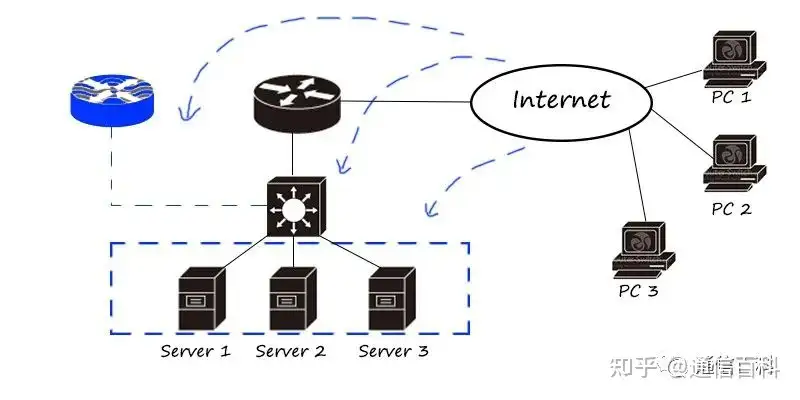
Traffic control products in the network are mainly divided into online behavior management, load balancers/application delivery, link optimization, etc.
Behavior management products mainly focus on fine-grained differentiation and traffic control. Load balancing/application delivery focuses on the load balancing of traffic (distinguishing by traffic characteristics, applications, addresses, etc., and then distributing to different links and servers); link optimization is mainly used at the boundary of low-speed links such as WAN to maximize link utilization.
Traffic control products are layer-7 products that focus more on traffic and application characteristics.
Question: How many such devices does a network need?
Home SOHO network:
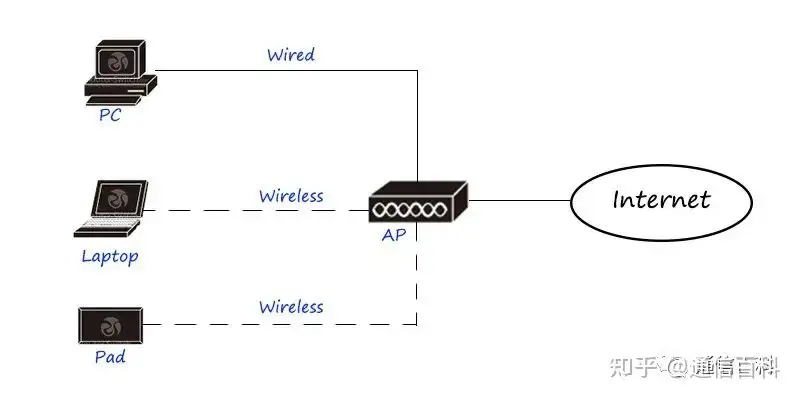
This is a typical home network, which provides WiFi hotspot access through a wireless router, and provides a router to connect to the external network.
Small business network:
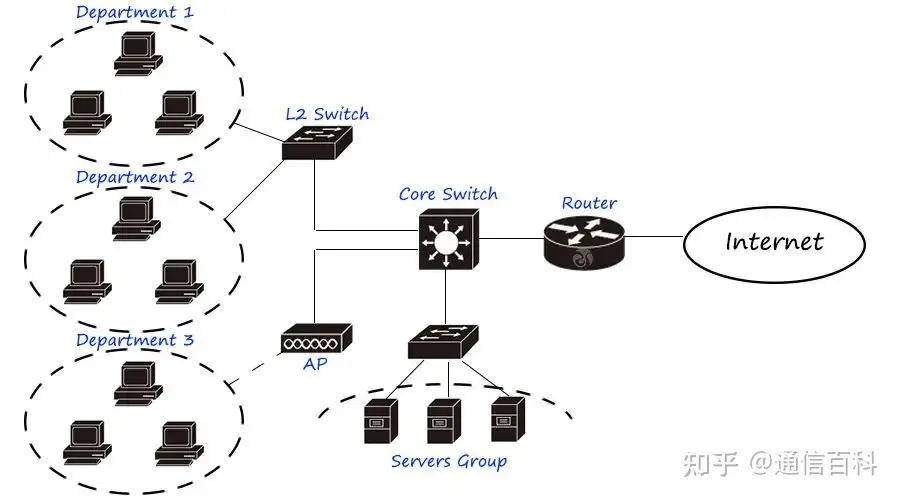
A small business network using a two-layer plus single-core topology requires routers, switches, and servers.
Campus network:
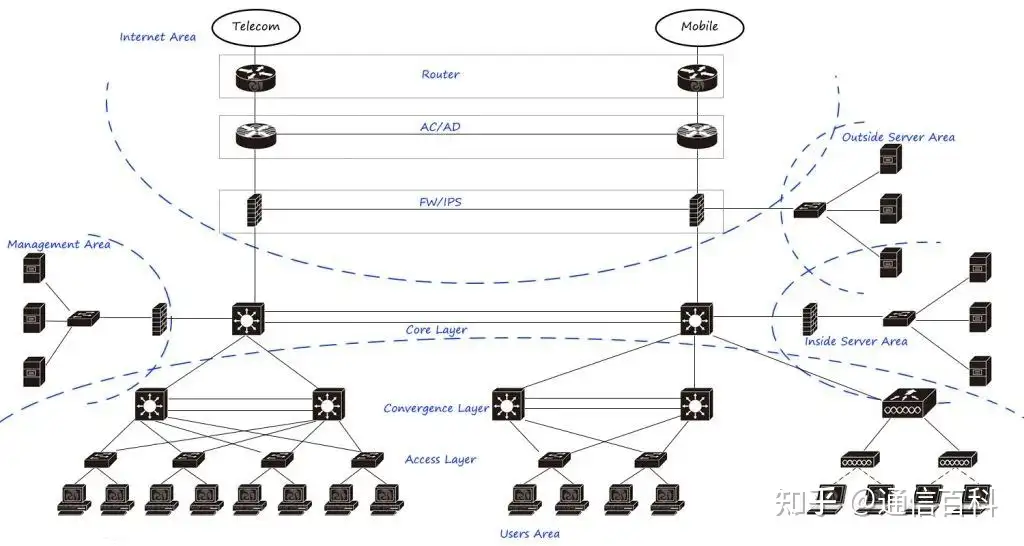
The most common campus network architecture, such as medium and large enterprise networks/campus networks, uses a three-layer architecture of access, convergence, and dual-core networks. According to network requirements, it is divided into user areas, internal service areas, external service areas, management areas, Internet areas, etc., connected and isolated through core switches and firewalls. The Internet uses multi-exit connections, through router dialing and NAT, load balancing/Internet behavior management through flow control products, and security isolation through firewalls.
Data center network:
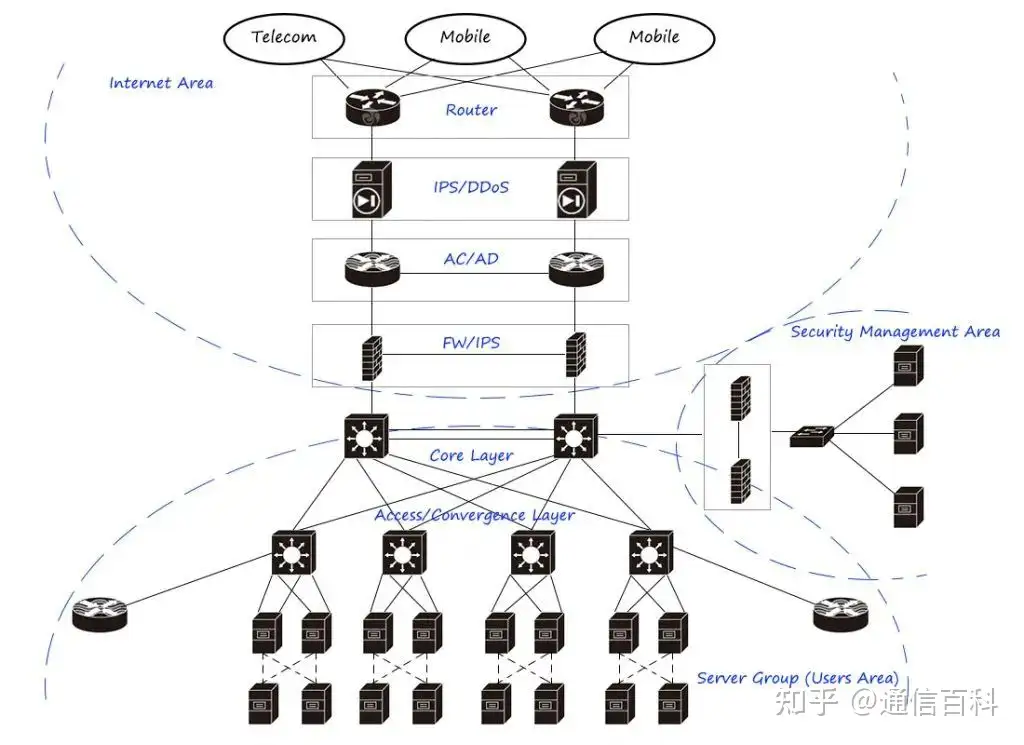
This is a typical large two-layer data center network/IDC design, mainly divided into tenant areas (service clusters), Internet areas, and security management areas. Among them, the tenant area uses device virtualization and link virtualization technologies to improve device processing capability and link carrying capacity, and places load balancers in the server area to distribute traffic to servers in a reasonable and effective way. The Internet egress area uses routers to perform BGP and NAT, IPS/anti-DDoS devices for large-traffic flooding attacks, flow control for egress load, and firewalls for security isolation. The security management area can be securely accessed through firewalls, and audited, logged, and intrusion-detected.

Enjoy this article?
Subscribe to get new optical communication insights delivered to your inbox. Free, unsubscribe anytime.